
Why Every Marketer Needs a Free SEO Chrome Extension
Let’s face it: SEO today is like trying to juggle flaming torches on a unicycle. With so many moving parts — keyword research, on-page optimization, technical fixes, SERP tracking, etc. — even veteran marketers can get a little dizzy. That's where a free SEO Chrome extension can come in and feel like a superhero sidekick.
Consider it: instead of opening 10 different tools, what if your SEO browser extension could do keyword analysis, SEO page audits, backlink checks, and SERP data exactly where you work — in Chrome? The best SEO Chrome extensions do just that.
Whether it’s on-page analysis or quick link checks, these free SEO Chrome extensions save you hours every week. The other nice advantage of a Chrome SEO extension over some bloated software is that they are light, fast, and free (our three favorite F-words!).
As of 2025, over 65% of marketers are working with browser-based tools to help manage their SEO efforts — letting you know that Chrome is not just a place to scroll memes, but to create an SEO workstation.
So, let's take a look at the best SEO Chrome extensions that will help you polish your optimization efforts to work better than a fully-oiled backlink strategy.
What Is an SEO Chrome Extension and How Does It Work?
Having an SEO Chrome extension is like having a mini SEO toolkit inside your browser. Forget sign-ins and bloated dashboards; you'll get instantaneous insights.
These SEO Chrome extensions plug into your web pages and deliver live metrics and data such as meta titles, page speed, backlinks, and keyword rankings. Whether you're fixing a page title or checking domain authority, these SEO add-ons ensure you'll have the data without switching tabs.
These extensions are perfect for conducting a wide range of quick SEO audits, keyword discovery, and spotting duplicate content. The best part? Many SEO Chrome extensions are completely free, meaning you can have enterprise-level insights without breaking the bank.
In short, the Chrome SEO plugin is your behind-the-scenes assistance, quietly enhancing your workflow while you work on creating great content for Google.
12 Best Free Chrome Extensions for SEO That You Should Try in 2025
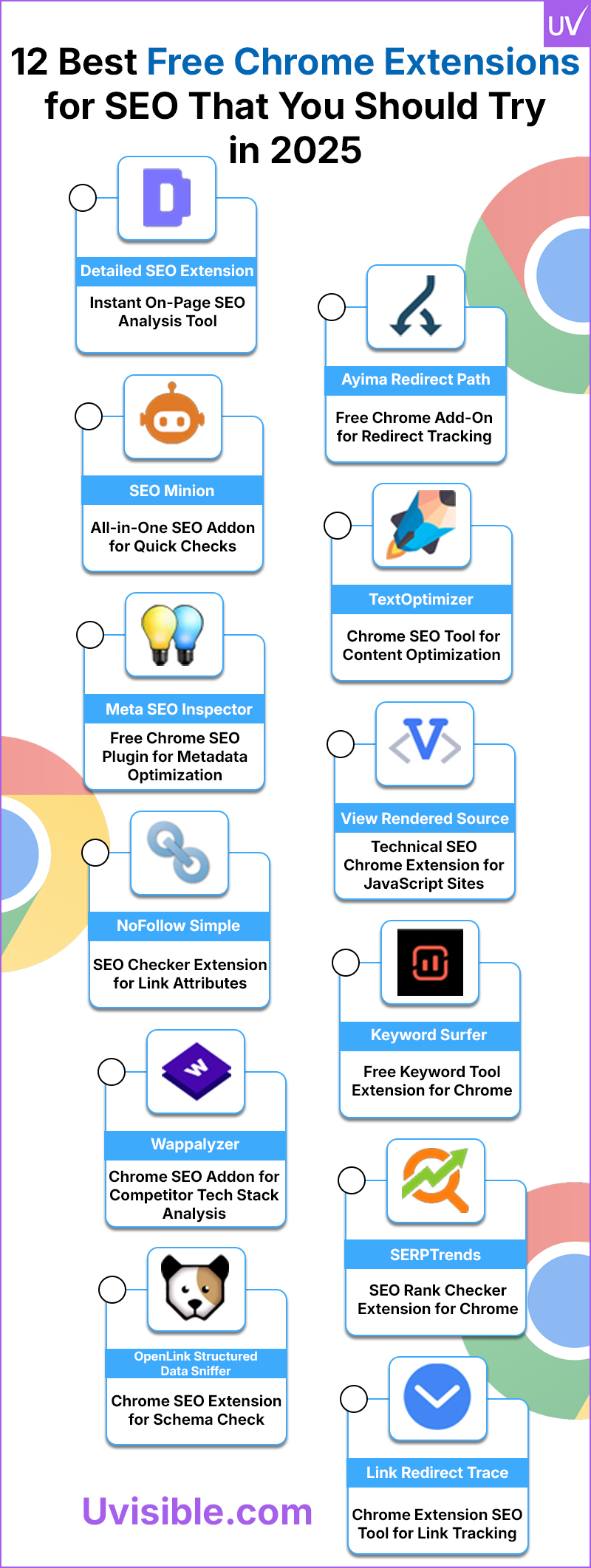
1. Detailed SEO Extension – Instant On-Page SEO Analysis Tool
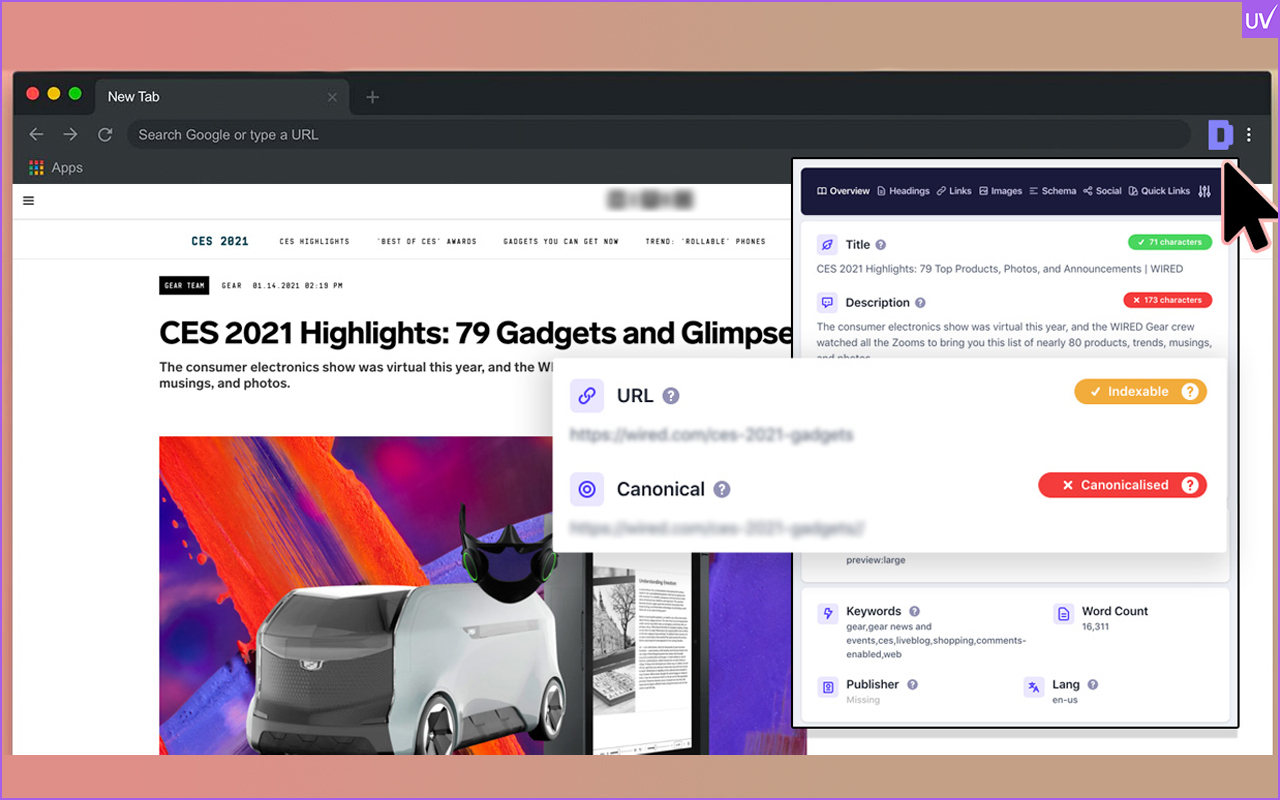
This extension is a treasure. Detailed SEO Extension gives us an easy way to analyze any page, all within seconds. It dives into meta tags, headers, schema markup, and canonical tags — all in one simple dashboard.
What makes it phenomenal: it’s faster than most desktop tools, and no need for an account. You can quickly identify issues like missing H1 tags, duplicate titles, or not-optimized descriptions.
Especially when you have multiple projects, this Chrome SEO extension will save you hours doing manual audits. Think of it as your “SEO X-ray glasses.”
2. SEO Minion Chrome Extension – All-in-One SEO Addon for Quick Checks
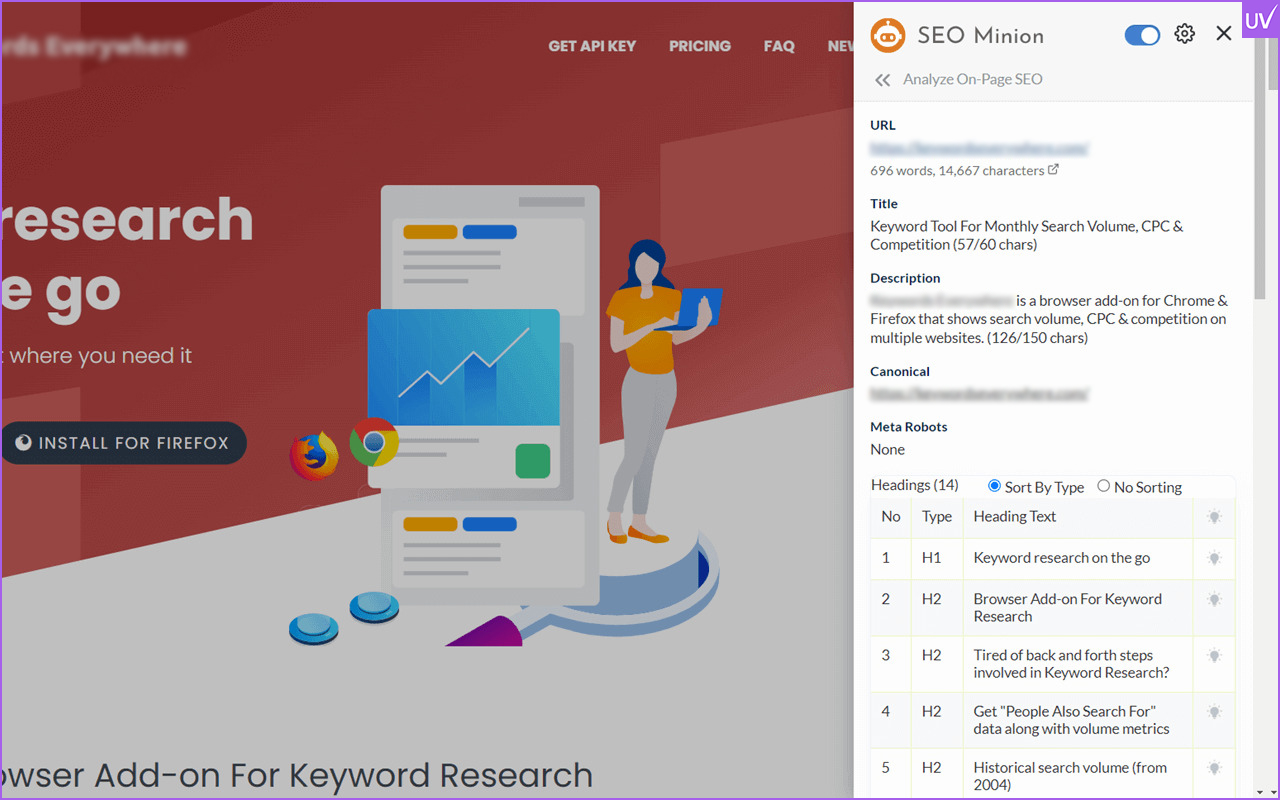
If there is a champion in multitasking, then it would be SEO Minion. This SEO Chrome extension can examine on-page elements, broken links, hreflang tags, and even show previews of your snippets as they appear on Google.
The feature we find the most helpful is the SERP comparison. It will show you the ranking differences in seconds across locations (a great tool if your business works on local SEO).
It has a small footprint on loading speed, is accurate, and totally free — an essential SEO Chrome extension to do the heavy lifting while you enjoy coffee.
3. Meta SEO Inspector – Free Chrome SEO Plugin for Metadata Optimization
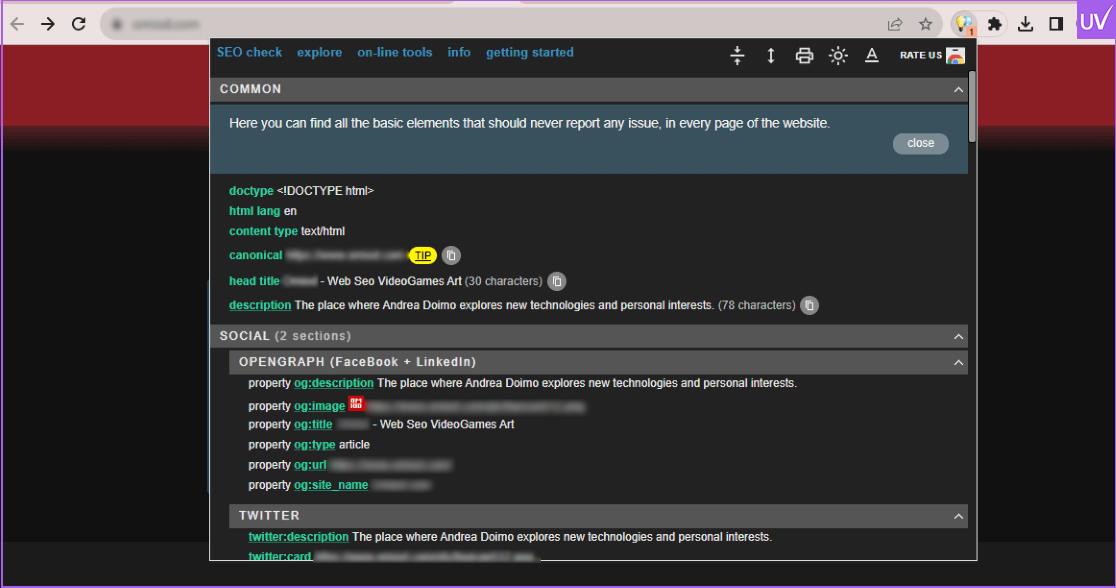
Think of Meta SEO Inspector as a digital magnifying glass — perfect for any SEO agency in India looking to fine-tune on-page performance. It takes a deep dive into your metadata on your site — titles, descriptions, canonical, Open Graph tags, etc. No hassle, no signups, just the plain data.
It’s simple to find missing tags and make sure you’re really on top of your on-page SEO.
If you are copying source code manually (trust me, use the extension), you’ll feel like it’s magic. It’s a hidden gem that all content managers should have.
4. NoFollow Simple – SEO Checker Extension for Link Attributes
Do you ever find yourself wondering about which links on a page are passing juice and which ones are not? NoFollow Simple instantly highlights nofollow links, dofollow links, and UGC links.
If you are a link-building expert, this Chrome SEO plugin is a dream come true: it's quick, it's clean, it's accurate, and it removes the drudgery of opening dev tools or crawling sites; just click the icon, and it will show you the real link picture.
It’s one of those Chrome SEO extensions that you don't know you need until you actually use it once—and then you never browse without it again.
5. Wappalyzer – Chrome SEO Addon for Competitor Tech Stack Analysis
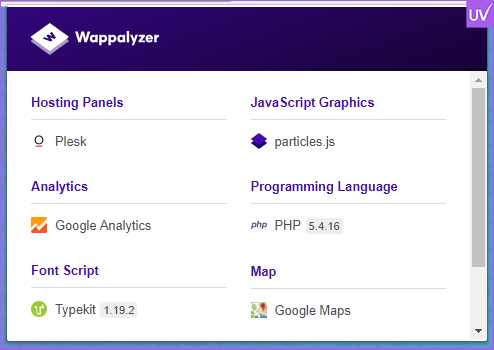
We've all experienced it: you stumble upon the website of one of your competitors and think to yourself, "I wonder what theme or CMS they are using?" Which brings me to Wappalyzer.
This is a Chrome SEO addon that tells you anything from the type of CMS (WordPress, Shopify, and so on) to analytics tools, marketing tags, and hosting providers.
It is absolute gold for technical SEOs who love to figure out how their competitors build lightning-fast, optimized websites. Combine this with your favorite SEO browser tools, and you can easily reverse engineer their success.
6. OpenLink Structured Data Sniffer – Chrome SEO Extension for Schema Check
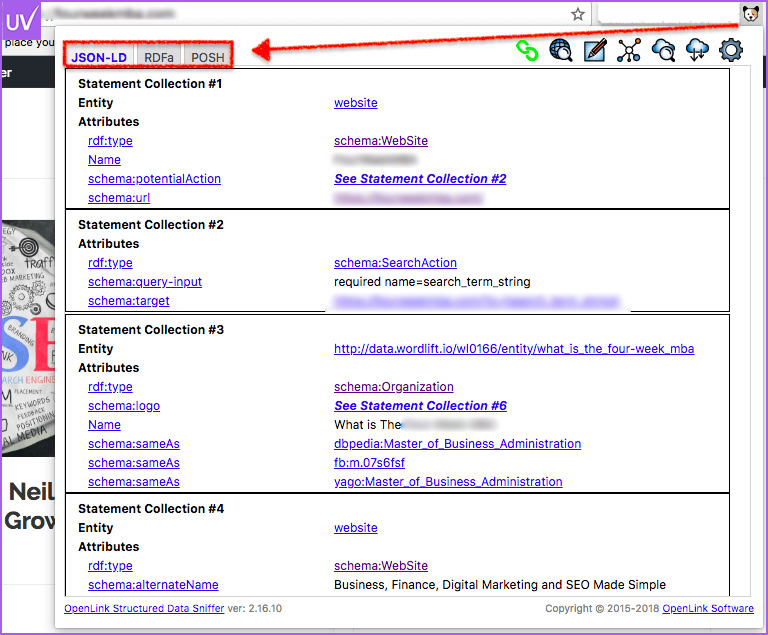
Google appreciates structured data; however, many sites are not using it correctly. OpenLink Structured Data Sniffer shows a breakdown of all schema and markup on a page. From JSON-LD to Microdata.
You can use this SEO Chrome extension to see any missing schema types or if your product markup is configured properly.
This extension may seem quiet, but for developers and SEOs it's a powerful time-saver.
7. Ayima Redirect Path – Free Chrome Add-On for Redirect Tracking
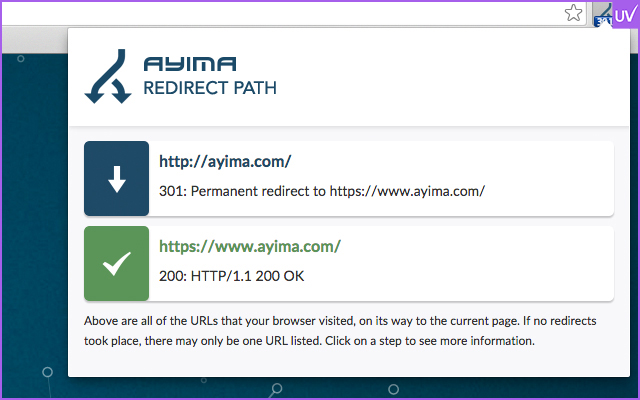
Redirects can be tricky. One wrong 302 for a 301 can derail rankings. Ayima Redirect Path gets you live notifications.
You can see HTTP headers, redirect chains, and response codes - critical for site migrations or cleaning up your URL structure.
Every SEO extension checker should have redirect tracking, and this one does without any additional setup.
8. TextOptimizer – Chrome SEO Tool for Content Optimization
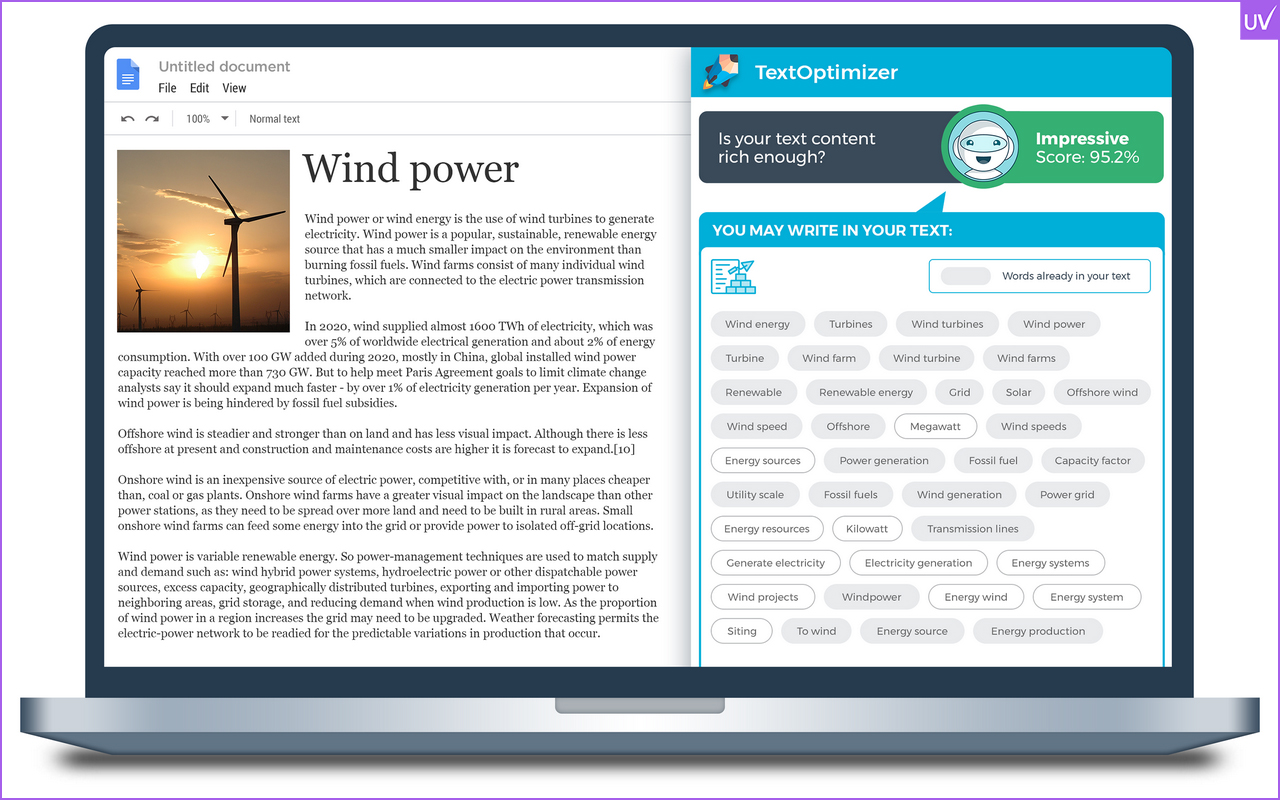
If content is king, TextOptimizer is the royal adviser — an essential tool for anyone offering content marketing solutions. This free SEO Chrome extension analyzes your text for search intent alignment, helping you create content that’s both readable and rank-worthy.
In this case, semantic relevance and topical depth matter because Google has deemed topical depth more important than keyword density in its algorithms.
TextOptimizer allows you to develop your copy until it reads well and ranks higher.
9. View Rendered Source – Technical SEO Chrome Extension for JavaScript Sites
This tool displays the rendered HTML after JavaScript execution, which is a necessity if your site uses frameworks like React or Vue.
Many SEOs forget that Google can differ what it "sees" from what you see on your computer screen. This technical SEO Chrome extension bridges that divide.
It's ideal to track crawlability or rendering issues that most tools do not dive into.
10. Keyword Surfer – Free Keyword Tool Extension for Chrome

Here is a free website that can compete with paid keyword tools. Keyword Surfer shows you search volume, CPC, and related keyword suggestions right in Google Search.
Want to see how to search for keywords on Google Chrome without switching to a different tab? This keyword tool Chromebook extension has you covered.
You can even see the estimated traffic for each result page - how convenient is that!
11. SERPTrends – SEO Rank Checker Extension for Chrome
Want to keep up with and watch the daily change in your rankings? SERPTrends indicates whether the position of a website in the search results increases or decreases.
It’s simple, visual, and possibly addictive. It’s perfect for a quick look to track competitor movement without logging into a dedicated rank tracker.
We’d call it the “Fitbit” of SERP tracking because it always indicates how active (or lazy) the rankings are by indicating movement.
12. Link Redirect Trace – Chrome Extension SEO Tool for Link Tracking

If Ayima Redirect Path is your scout, Link Redirect Trace is your army general. It shows you the complete chain of redirects along with additional information, like canonical tags and meta robots data.
This Chrome SEO extension is excellent for advanced full-fledged SEOs auditing a migration or appropriately fixing duplicate URL structures.
When you pair it with the Detailed SEO Extension, get ready for a one-two-punch of clarity and control.
Alternate Chrome Extensions Like Haystack for SEO and Analysis
Not every hero of SEO wears a cape — some hide in your extensions list. Here are a few other Chrome extensions to explore:
- Seerobots — It will tell you if a page is indexed or blocked by a robots meta tag.
- Pleper Chrome Extension — For local SEO, if you do any form of local SEO, the app unlocks Google Business, group, competitive research analytics, and more.
- Glarity — Utilizes AI to summarize the search results and also identifies keyword intent.
- Tag Assistant (by Google) — Check all your tags GA4, GTM, etc., and verify in seconds.
These other simple, functional Chrome extensions to Haystack may not be on every one of the "best SEO tools" ever list, but they will add pure productivity.
How to Use SEO Addons in Your Chrome Browser Efficiently
We all enjoy free tools, but having too many for your browser is like running a marathon in flip-flops — not pretty.
This is how we use multiple SEO addons in Chrome:
- Pick 3 to 5 core tools that you’ll use daily.
- Turn off the rest until needed.
- Because Tools:
- SEO Extension + Meta SEO Inspector = On-page optimization
- SEO Minion + NoFollow Simple = Link audits
- Keyword Surfer + TextOptimizer = Content creation process
Also, be sure to clear the cache and update Chrome regularly. It is amazing how much lagging quality is due to an outdated addon versus your available RAM.
Best Practices for Using Chrome SEO Tools in 2025
SEO develops more quickly than we can say "algorithm change." For that reason, let's keep our Chrome SEO extensions sharp:
- Upgrade your extensions monthly; they nearly all have bugs fixed and new API features packed into newer versions.
- Do not chase numbers; rather, search for the best SEO Chrome extensions that fit your working style and workflow.
- Utilize FREE SEO Chrome extensions before purchasing a premium version.
- Monitor performance: Using tools like SERPTrends or the Detailed SEO Extension, you'll see winners immediately.
Fun fact: HubSpot reported that 72% of SEO professionals are using browser extensions for on-the-go SEO. That's proof the underdog SEO Chrome plugin is no longer optional; it's a need.
Conclusion: Simplify SEO with Smart Chrome Extensions
At the end of the day, SEO doesn’t have to feel like rocket science. With these free Chrome SEO extensions, you can conduct audits, optimize content, and monitor rankings from within your browser.
The key is to find the right SEO addons that fit your everyday workflow and align with your favorite SEO tools for Chrome.
So go ahead - install a few, test them for yourself, and watch your productivity rise higher than your keyword rankings.
Want to take your SEO beyond browser tools? Work with Uvisible, your digital growth partner. Uvisible mixes creativity by a human brain with a data-driven strategy to make SEO easy, measurable, and results-focused.
About us and this blog
We are a digital marketing company with a focus on helping our customers achieve great results across several key areas.
Request a free quote
We offer professional SEO services that help websites increase their organic search score drastically in order to compete for the highest rankings even when it comes to highly competitive keywords.
Subscribe to our newsletter!
More from our blog
See all posts





Recent Posts
- How SEO Works in Bing (And Why Ignoring It Might Be Costing You More Than You Think) February 27, 2026
- Things Every Website Should Have: The Complete SEO Blueprint February 14, 2026
- Digital Marketing Conferences 2026: Top Global Events for Marketing Leaders February 7, 2026